Activity Report スキル
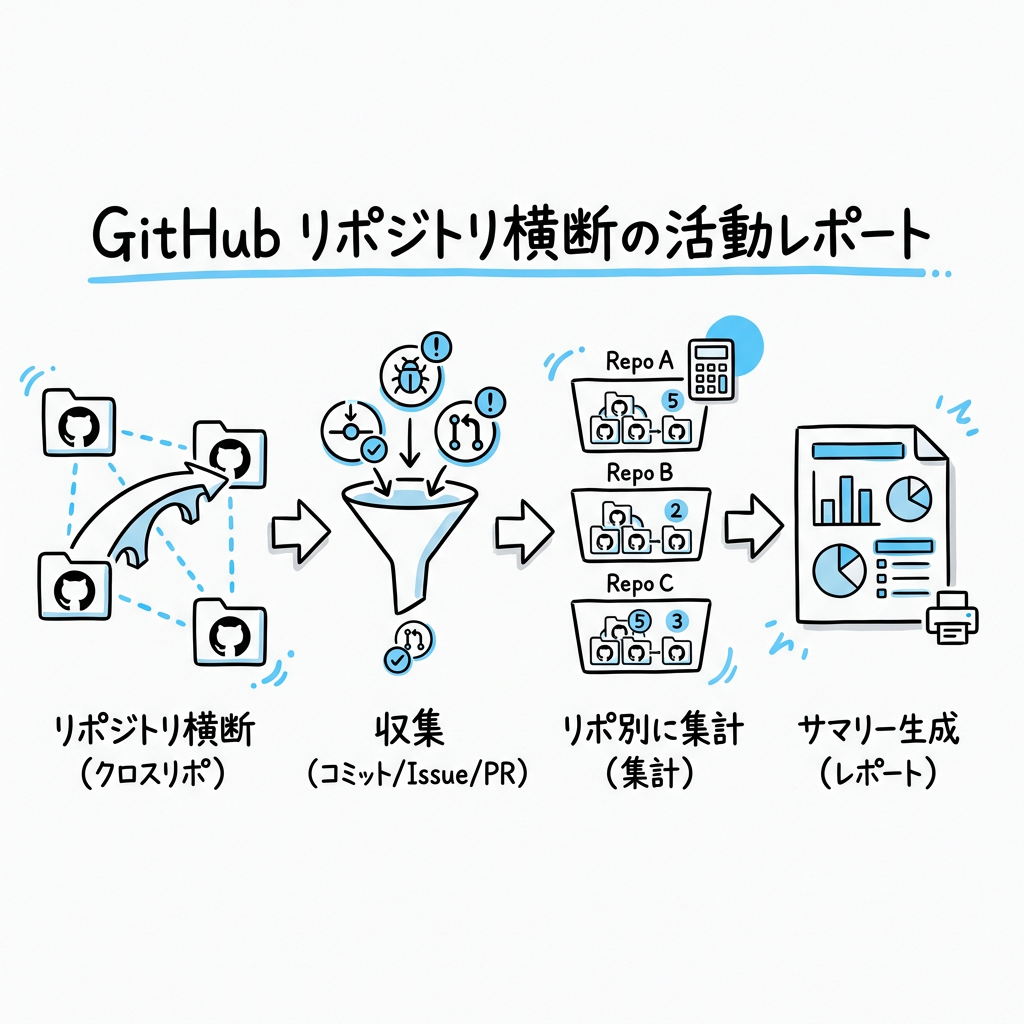
GitHub API を使って、ユーザーの全リポジトリの活動(コミット・Issue・PR)を収集し、リポジトリ別にサマリーを生成する。
いつ使うか
- 「今日何やった?」「今日の活動」「作業まとめ」→ 当日の活動
- 「今週の活動」「今週何やった?」→ 今週(月曜〜今日)の活動
- 「最近の動き」→ 直近7日間
- 日次ログ / ジャーナルの「やったこと」を埋める場合
- 週次・月次の振り返り作成時の素材収集
収集手順
Step 1: 期間の決定
ユーザーの発話から期間を推定する。明示がなければ「今日」(JST基準)。
| 発話例 | 期間 |
|---|---|
| 今日の活動 | 当日 00:00 JST 〜 now |
| 今週 | 今週月曜 00:00 JST 〜 now |
| 今月 | 当月1日 00:00 JST 〜 now |
| 最近 / ここ数日 | 直近7日 |
JST → UTC 変換: JST 00:00 = 前日 15:00 UTC
Step 2: データ収集スクリプトの実行
バンドルされた scripts/collect_activity.py を使ってデータを一括収集する。
このスクリプトは gh CLI を使い、Events API + Commits API からリポジトリ別のコミット・Issue・PRを JSON で出力する。
python3 <skill-dir>/scripts/collect_activity.py <username> <since_utc> [until_utc]
例(今日の活動):
python3 <skill-dir>/scripts/collect_activity.py <your-github-username> 2026-03-25T15:00:00Z
例(今週の活動):
python3 <skill-dir>/scripts/collect_activity.py <your-github-username> 2026-03-22T15:00:00Z 2026-03-26T15:00:00Z
出力は以下の JSON 構造:
{
  "period": {"since": "...", "until": "..."},
  "repos": [
    {"repo": "name", "commit_count": 10, "commits": ["msg1", "msg2"]},
    ...
  ],
  "issues": [{"repo": "...", "action": "opened", "number": 1, "title": "..."}],
  "pull_requests": [...],
  "total_commits": 28
}
リポジトリはコミット数の降順でソートされ、Co-Authored-By / Merge コミットは自動除外される。
Step 3: サマリー生成
JSON 出力をもとに、リポジトリ別に以下の形式でまとめる:
### {repo名}({コミット数} commits)
- コミット内容のサマリー(個別列挙ではなく、作業の流れとして要約)
- Issue/PR があれば記載

### {repo名}({コミット数} commits)
- ...
サマリー作成のポイント:
- 同じ作業の連続コミットはグルーピングして要約する(例: "ブログ記事を初稿→レビュー→改稿" のようにまとめる)
- コミットメッセージの丸コピーではなく、何をやったかの文脈が伝わるように書く
- コミット数が多いリポジトリから順に並べる(活動量順)
- Issue/PR セクションは活動があった場合のみ追加する